FounderHQJul 28, 20269 min read
Application Onboarding Process: Definition, Steps, and When to Use It
A practical seven-step application onboarding process for moving new users from signup to first meaningful value without unnecessary setup or generic tours.

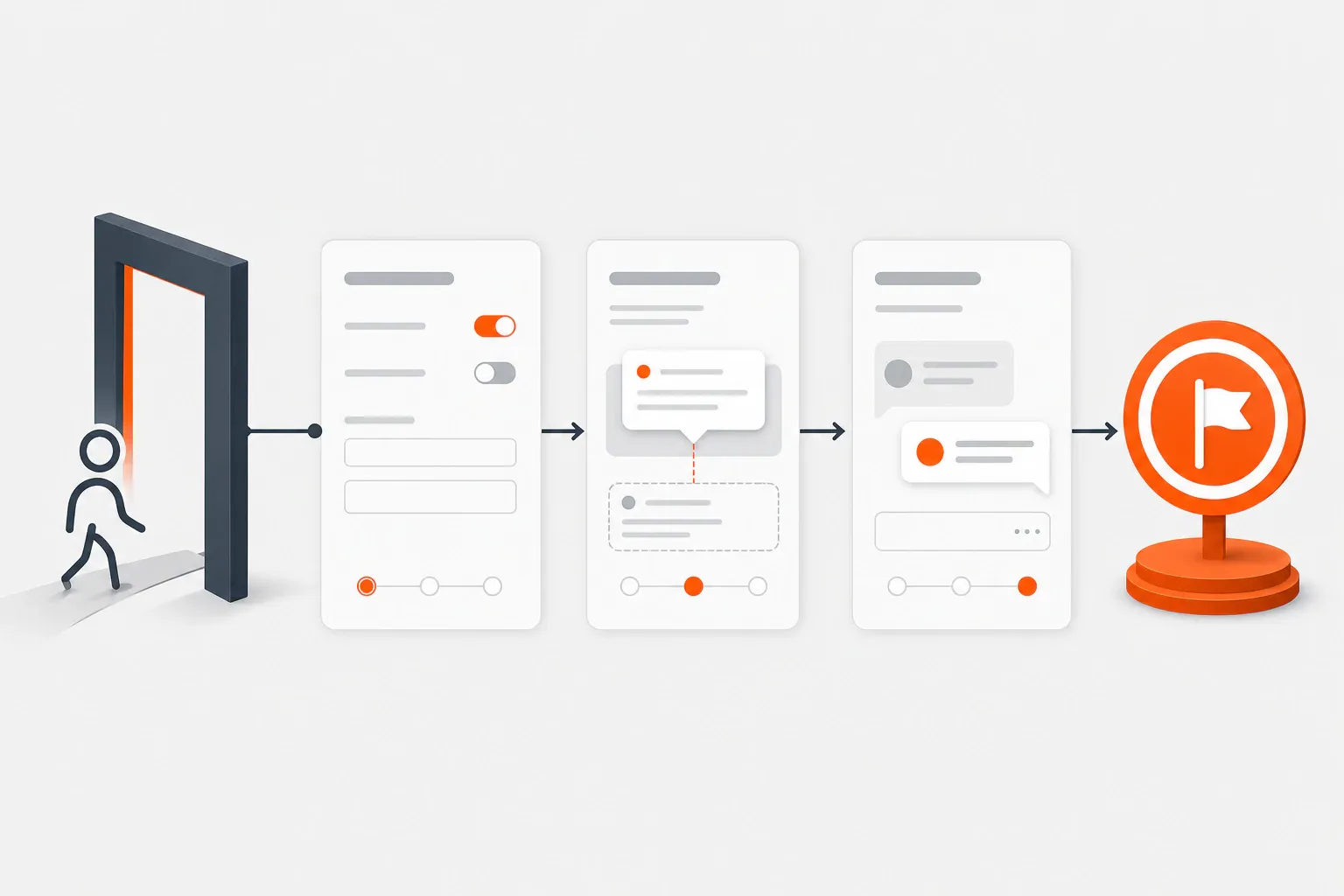
TL;DR: An application onboarding process is the planned sequence that moves a new app user from signup or first launch to a meaningful result. Here, it means product/user onboarding inside a web or mobile app—not IT application rollout or employee/customer onboarding. In a [2020 Nielsen Norman Group study](https://www.nngroup.com/articles/mobile-tutorials/) of 70 users across 4 apps, upfront tutorials did not improve task speed or success.
Key takeaways
- Define one observable first-value event before choosing tours, checklists, tooltips, or other onboarding patterns.
- Map every step before first value and classify it as required now, useful later, or removable.
- Ask onboarding questions only when the answer changes the user’s next step, guidance, or support path.
- Use contextual guidance for task-specific help and keep a human escape hatch available when setup can fail.
- Keep onboarding manual or minimal while the team is still discovering the right path to value.
An application onboarding process moves a new user from first launch or signup to a result that proves the application is useful. I recommend designing that sequence around one first-value event, then removing, delaying, or supporting every step between the user and that event.
This guide is for founders and product operators designing product/user onboarding inside an early-stage web or mobile application. It does not cover internal IT application rollout, employee onboarding, or customer onboarding programs. The focus is the operating workflow: what happens, who owns it, and where it should stop.
What is an application onboarding process?
An application onboarding process is the ordered set of product and operational steps that helps a new user achieve a useful result. Nielsen Norman Group defined mobile-app onboarding in 2020 as familiarizing users with an interface through feature promotion, customization, instructions, or necessary setup; this process uses demonstrated value as its finish line.
Consider a project-management application. A lean process might ask whether the user manages personal or team projects, open a relevant starter project, guide the creation of one real task, and offer an invitation step only when collaboration matters. Billing preferences, notification rules, and advanced reporting can wait.
The boundary between user onboarding and product onboarding is not standardized. Pendo’s glossary describes one convention, while a Process Street template published in 2023 uses application onboarding for an IT rollout involving configuration, testing, training, and approvals. Employee and customer onboarding are separate processes.
Term | Primary subject | Typical finish line |
|---|---|---|
Application onboarding process, as used here | A new user adopting a web or mobile app | First meaningful result |
App onboarding flow | Screens and interactions inside the app | Completion of a guided path |
User/product onboarding | The user journey and the systems supporting adoption; usage varies | Useful, increasingly confident use |
IT application onboarding | An application introduced into an organization | Approved, configured deployment |
Why does the application onboarding process matter?
The process matters because completion can conceal a broken route to value. A user who dismisses five tour cards and finishes a profile has progressed less than one who skips optional setup and produces the report, project, or message they came for.
In 2020, Nielsen Norman Group tested deck-of-cards tutorials with 70 users across 4 iPhone apps; the tutorials did not improve task speed or success and made tasks feel more difficult. For an early-stage team, the practical danger is misdiagnosis: adding acquisition while qualified signups stall sends more users into the same failure point. The activation-handoff guide covers that gap in depth.
How does the application onboarding process work?
A lean application onboarding process follows seven decisions: define value, map the route, classify each step, select guidance, add useful branches, provide an escape hatch, and review behavior. The process map below keeps UI patterns subordinate to those decisions.
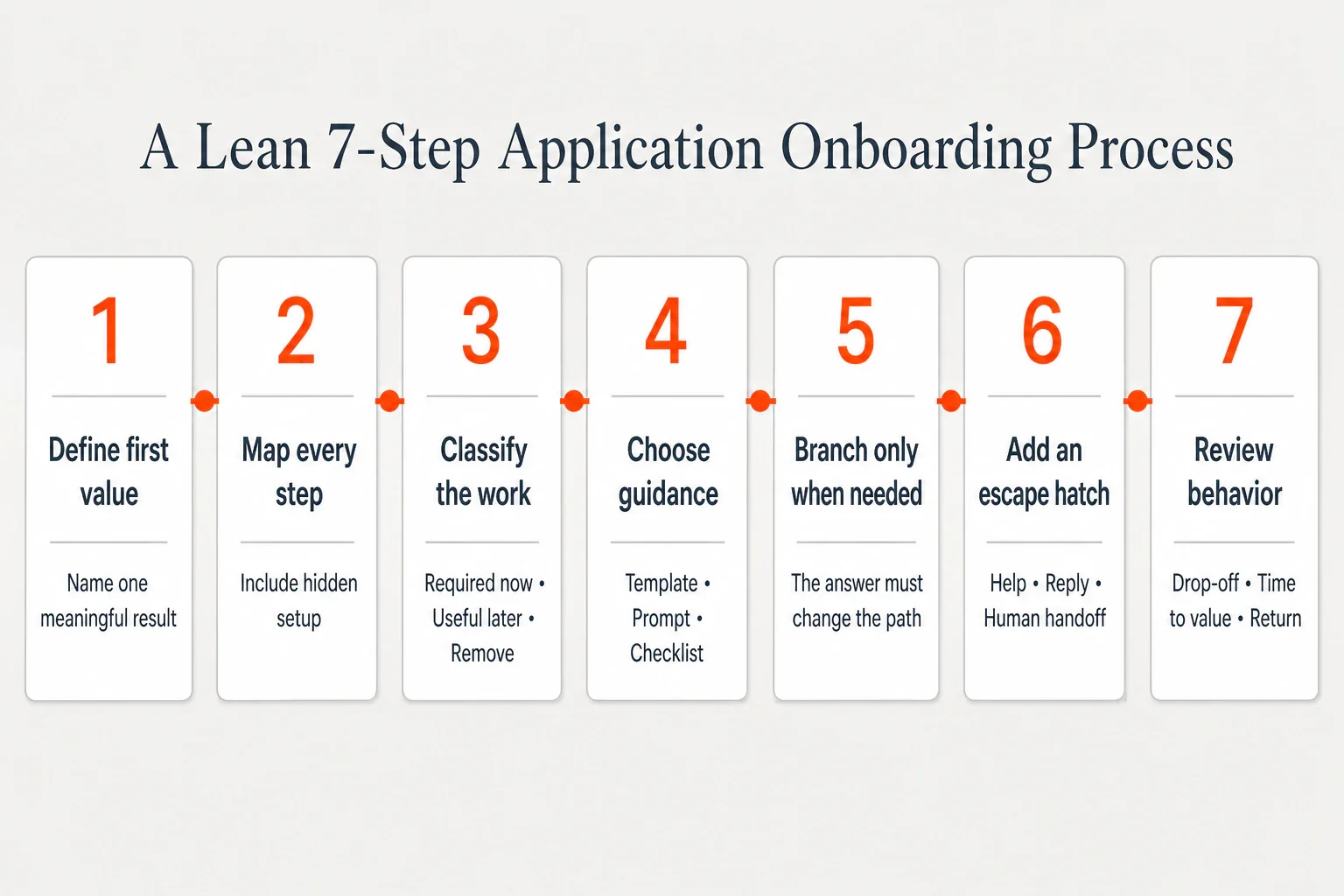
Step 1: Define first value
Name one observable result that demonstrates the product’s promise. “Completed onboarding” is circular; “generated the first cash-flow forecast from imported data” describes value. Set an expected window so first-session success is not blended with results reached weeks later.
Step 2: Map every step before it
List visible screens and hidden requirements: signup, verification, permissions, imports, data processing, invitations, and the useful action. Include failure states. If an import can fail, its recovery path belongs on the map.
Step 3: Classify each step
Mark every item required now, useful later, or removable. My rule is strict: a pre-value step must enable the result, reduce a real risk, or change the route. A field collected only for future marketing belongs later.
Step 4: Match guidance to the obstacle
Use a template for blank-page friction, a progress indicator for unavoidable setup, and a contextual prompt for an unfamiliar control. Android Developers advises, “Typically you will need to show the value of the app before asking for device permissions or to create an account.”
Step 5: Branch only when the path changes
Personalization earns its place when a role, goal, or starting state changes the next action. A design tool might route a marketer to a campaign template and a product designer to a prototype. If both answers open the same screen, do not ask.
Step 6: Add a support escape hatch
Let users recover when the designed route fails: retry an import, open focused documentation, reply to a message, or request human help. Nielsen Norman Group’s 2020 guidance distinguishes proactive guidance from reactive troubleshooting; complex onboarding may need both.
Step 7: Review the behavior
Check whether users start, where they stop, whether they reach first value, and whether they return. Compare equivalent cohorts, inspect one or two decision-relevant dimensions, and change one bottleneck while keeping the rest stable. The app onboarding activation guide provides a deeper measurement framework.
A B2B reporting app provides a compact example. Replace an eight-card tour with one goal question, a sample dashboard, a guided connection to one data source, and a prompt to generate the first report. Put help beside the connection step, then request teammates and notification preferences after the report exists.
What should you include in an application onboarding process?
Include only elements that orient the user, enable required setup, guide a useful action, or provide recovery. A welcome screen, checklist, tooltip, or email belongs only when it performs a specific job in the route.
A complete process covers five jobs: set the promise and next action, collect minimum prerequisites, guide the first useful task, recover from setup failures, and hand the user to the next valuable behavior. The product, contextual help, follow-up, or human support can deliver those jobs.
Assign an owner to each job. Product owns the route and failure states; design owns interaction clarity; engineering owns reliable state changes; support contributes recurring questions; and the founder or product lead defines value. One person may hold several roles, but no job should be ownerless.
When should you use structured onboarding—and when should you not?
Use structured onboarding when unavoidable complexity blocks value, keep it manual while the team is discovering the successful route, and skip a separate flow when the interface can teach through use. The obstacle—not a competitor’s tour—should determine the mode.
Situation | Recommended mode | Reason |
|---|---|---|
Imports, permissions, or multistep setup are unavoidable | Structured onboarding | Users need sequencing, progress, and recovery |
Roles or goals require different paths | Branched onboarding | One route would create irrelevant work |
The team is still learning what users need | Manual or concierge onboarding | Direct observation exposes assumptions |
A simple task uses familiar conventions | Minimal or no separate onboarding | Extra instruction raises interaction cost |
Users struggle with one control during a task | Contextual help | Guidance appears when useful |
Basic use requires a paragraph of explanation | Redesign the screen | Onboarding would conceal a design problem |
Nielsen Norman Group’s 2023 analysis found that upfront tutorials can interrupt users, be forgotten, and fail to improve task performance. Contextual help avoids some of those problems by appearing near the relevant action.
Manual onboarding is a research method, not an embarrassment. Paul Graham’s 2013 essay “Do Things That Don’t Scale” argues that founders commonly recruit users manually at the start. I would stay manual while the team cannot explain why successful users progress, recording recurring questions, failures, and promise-product mismatches before adding prompts. The customer-proof loop shows how to turn those observations into product and messaging decisions.
How should early-stage teams improve the process?
Improve onboarding through a weekly cadence: choose one bottleneck, one metric, one change, and one review date. Start with the signal closest to the broken part of the route.
Signal | Likely process problem | First inspection |
|---|---|---|
Users do not start | Value or effort is unclear | Opening promise and first action |
Users stop mid-process | Too much work precedes value | Required-now steps |
Users finish without useful output | Completion tracks chores | First-value definition |
One step creates repeated support | Recovery or prerequisites are unclear | Support notes and failure states |
Users reach value but do not return | No useful next action | Post-value handoff |
Keep the previous version identifiable, review the chosen metric on schedule, and decide whether to keep, reverse, or revise the change. Avoid changing several screens at once; a faster release is not useful if the team cannot tell what affected behavior.
Where FounderHQ fits in the workflow
FounderHQ fits when a lean team wants to turn onboarding decisions into reusable, branched product journeys while keeping the surrounding company context together. Journeys support quizzes, waitlists, and onboarding flows with branching steps; answers can become contact attributes, and journeys can be hosted or embedded.
The capability does not decide what first value means or prove that a branch improves activation. Founder judgment, direct observation, and behavioral review still determine whether the journey helps. FounderHQ does not guarantee activation, retention, signups, or revenue.
Conclusion
Start with a one-page process map, not a product tour. Write down the first-value result, list every preceding step, and delete or delay anything that does not enable value, reduce genuine risk, or change the route. If the team cannot explain why successful users progress, onboard a small group manually before automating the pattern.
Frequently asked questions
What is an application onboarding process?
An application onboarding process is the planned path from signup or first launch to a meaningful result inside a product. It may include setup, guidance, support, and follow-up. The same phrase can describe an internal IT rollout, but this guide uses the product/user-onboarding meaning.
What are the steps in the user onboarding process?
Define first value, map the route, remove or delay unnecessary work, match guidance to each obstacle, add only path-changing branches, provide a support escape hatch, and review user behavior. The process ends at demonstrated value rather than checklist completion.
What is the difference between user onboarding and product onboarding?
Industry usage varies. In this guide, user onboarding is the person’s broader journey across the product, help, messages, and human support. Product onboarding is the system of experiences that supports adoption. Define the terms internally before assigning owners or metrics.
How do you create an onboarding flow?
Choose one observable result that proves the product has helped the user. List every preceding step, remove work that does not enable value or reduce risk, and add guidance only where an obstacle remains. Test the route and change one bottleneck at a time.
When should app onboarding be skipped?
Skip or reduce a separate onboarding flow when users can learn through normal product use, when instructions compensate for confusing design, or when a tutorial appears before its information is relevant. Use structured onboarding when unavoidable setup, permissions, or role-specific paths create genuine complexity.
Related articles
In-App Analytics for Onboarding: Definition, Metrics, and When to Use It
In-app analytics for onboarding turns events, funnels, segments, and user feedback into decisions about the path from signup to first value.
In-App Guidance for Onboarding: Definition, Examples, and When to Use It
In-app guidance helps users complete meaningful tasks inside a product. This guide explains the main patterns and how to match each one to an onboarding blocker.

What Is FounderHQ? Definition, Features, and When to Use It
FounderHQ at getfounderhq.com is a founder-controlled growth operating system for early-stage teams. This guide explains its connected workflows, alternatives, best-fit use case...