FounderHQJul 9, 202612 min read
Automated Email Flows: A Founder’s Guide to Behavior-Based Follow-Up
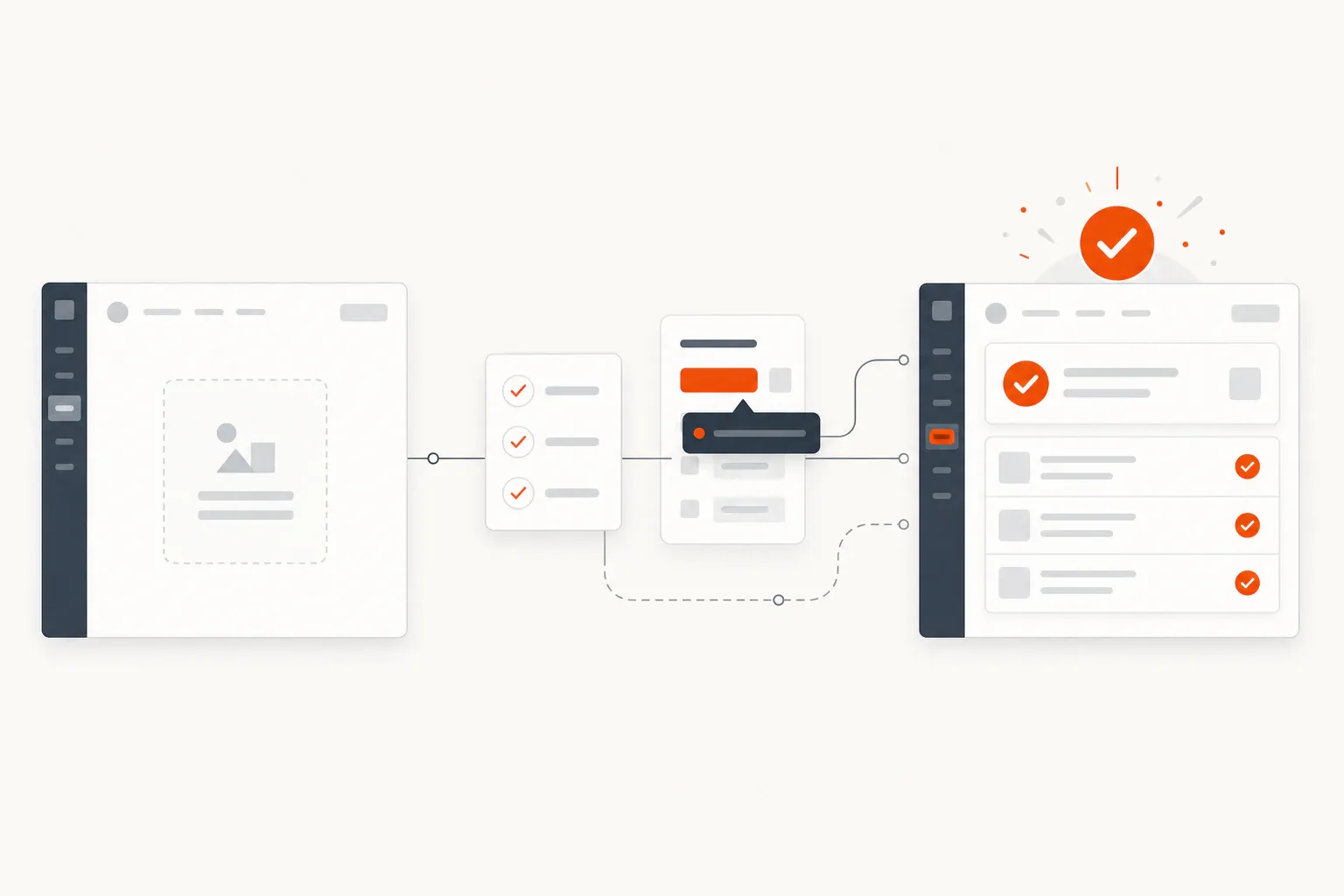
Automated email flows work best when they respond to a real user signal: signup intent, onboarding progress, inactivity, or a product journey answer.

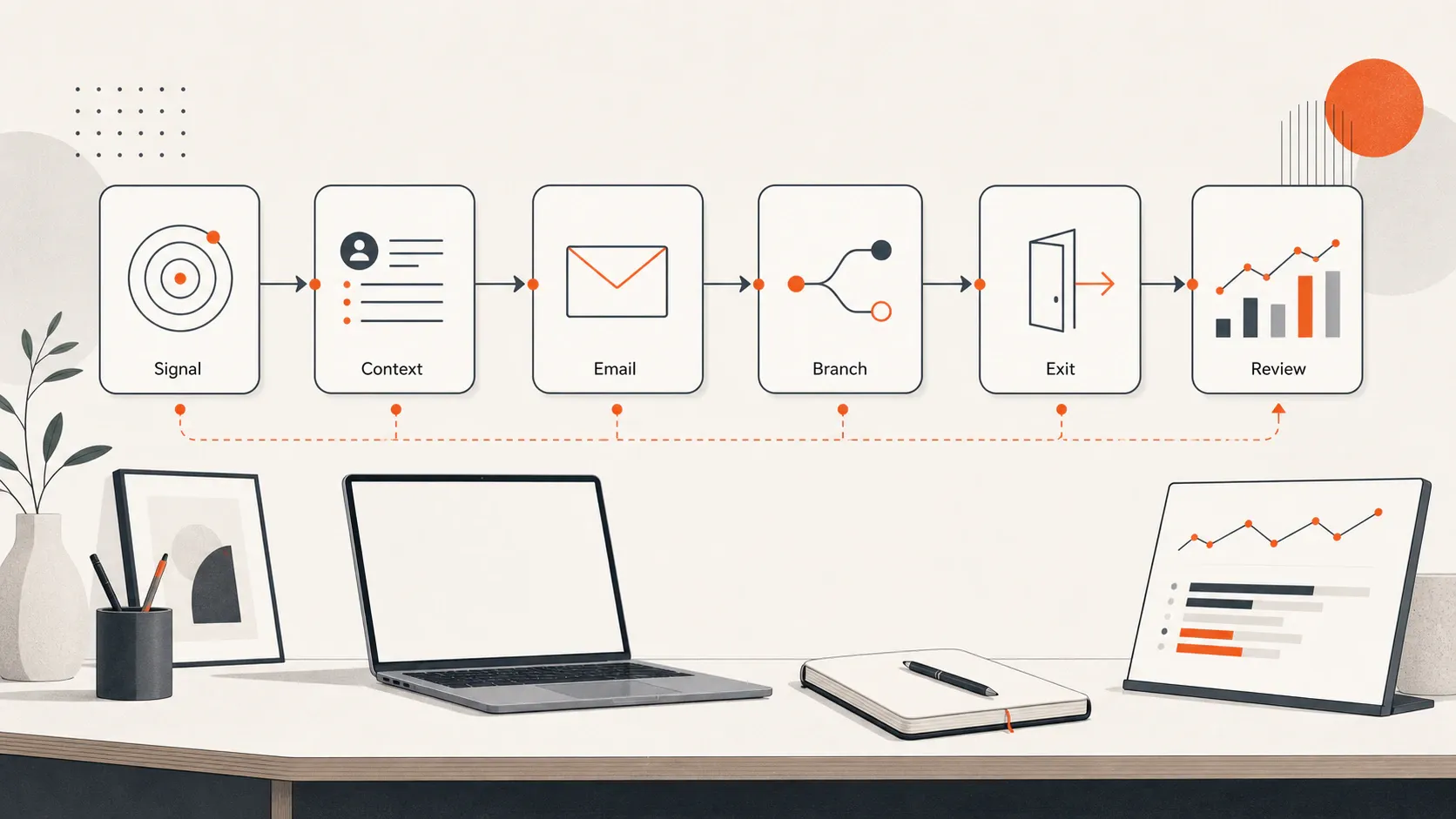
Automated email flows are not just a way to send more email with less effort. For an early-stage founder, they are a lightweight follow-up system: someone signals intent, your product or form captures useful context, and the next message helps them take one meaningful step. The goal is not to build a giant lifecycle machine on day one. It is to stop treating every signup, waitlist join, demo request, and stalled user as if they need the same calendar drip.
What automated email flows are
An automated email flow is a prebuilt workflow that sends emails when a contact matches a trigger, condition, timeline, or behavior. Mailchimp describes email flows as automated sequences triggered by specific actions or timelines, with a basic pattern of trigger, condition, action, and follow-up (Mailchimp). HubSpot similarly defines email automation as targeted emails sent based on predefined triggers, behaviors, or schedules (HubSpot).
The important distinction is that a flow is not just a newsletter scheduled in advance. A newsletter is usually a broadcast: everyone on a list receives the same message at the same time. An automated flow runs in the background and responds to what a person did, did not do, or told you about themselves.
A useful flow usually has eight parts: trigger, eligibility rule, context, delay, message, branch, exit condition, and measurement. For example: a user joins a waitlist, selects “team onboarding” as their main problem, receives a confirmation email, waits two days, gets a different follow-up depending on whether they clicked, and exits the flow if they book a call.
Drip campaigns, email sequences, and automated email workflows overlap, but the flow architecture is the differentiator. A drip campaign is often a fixed series sent over time. An email sequence can be manual or automated. An automated email flow is the rules layer around the sequence: who is eligible to enter, which path they take, when they should be suppressed, what event removes them, and which behavior check decides the next step.
That architecture matters because the same three emails can behave very differently depending on the flow rules. A simple sequence might send Email 1, Email 2, and Email 3 to everyone. A stronger automated flow checks whether the user activated, clicked, replied, booked, unsubscribed, or entered a higher-priority path before deciding whether to send, skip, branch, pause, or exit.
Why founders should start with flows, not more broadcasts
Early-stage teams often respond to weak activation by writing another announcement, another newsletter, or another generic “checking in” email. That can create motion, but it rarely fixes the real problem: the user’s context changed, and the follow-up did not.
Automated email flows help founders build consistency around moments that already matter. A new signup needs orientation. A waitlist lead needs confirmation and relevance. A product user who has not completed the first key action needs help, not a feature tour. A quiet account might need a useful question or a reason to return.
This is why trigger-based follow-up matters. HubSpot frames email automation around workflows that use predefined rules to send personalized messages based on what a customer does or does not do (HubSpot). Mailchimp’s automation flow documentation also emphasizes triggers, rules, actions, branches, and exit conditions as the parts that determine a contact’s path (Mailchimp).
For founders, the benefit is operational: fewer repeated manual follow-ups, more timely onboarding, and less dependence on memory. It does not guarantee conversion, revenue, or retention. It simply makes your follow-up more relevant and easier to improve.
The first decision: what moment should this flow improve?
Do not start by asking, “How many emails should we send?” Start with the user moment. A flow only earns its place if it improves a specific transition.
Good first candidates include: - New signup - Waitlist join - Demo request - Content download - Quiz or form completion - Onboarding stall - Feature interest - Trial nearing expiry - Inactive user - Renewal or account review
Choose the moment with the clearest intent and the most obvious next step. If someone requested a demo, the next step might be booking a time or answering one qualification question. If someone joined a waitlist through a product journey, the next step might be confirming their selected use case and pointing them to the most relevant resource. If a new user has not completed setup, the next step might be returning to the product and finishing one action.
This is where early teams should connect follow-up to product context, not just email copy. FounderHQ is positioned for early-stage product teams that need to build product journeys, compose founder-led content, and keep company context in one focused operating system. That matters because better follow-up usually starts before the email: with the question, branch, signup source, or activation signal you captured.
A simple automated email flow map founders can copy
Use this map before you open your email tool: Trigger → Context → First email → Wait + check → Branch → Exit + review.
Here is the same structure visually. The point is to keep the first version small enough to reason about: one signal, one user context, one useful next step, one check, and one clear exit.
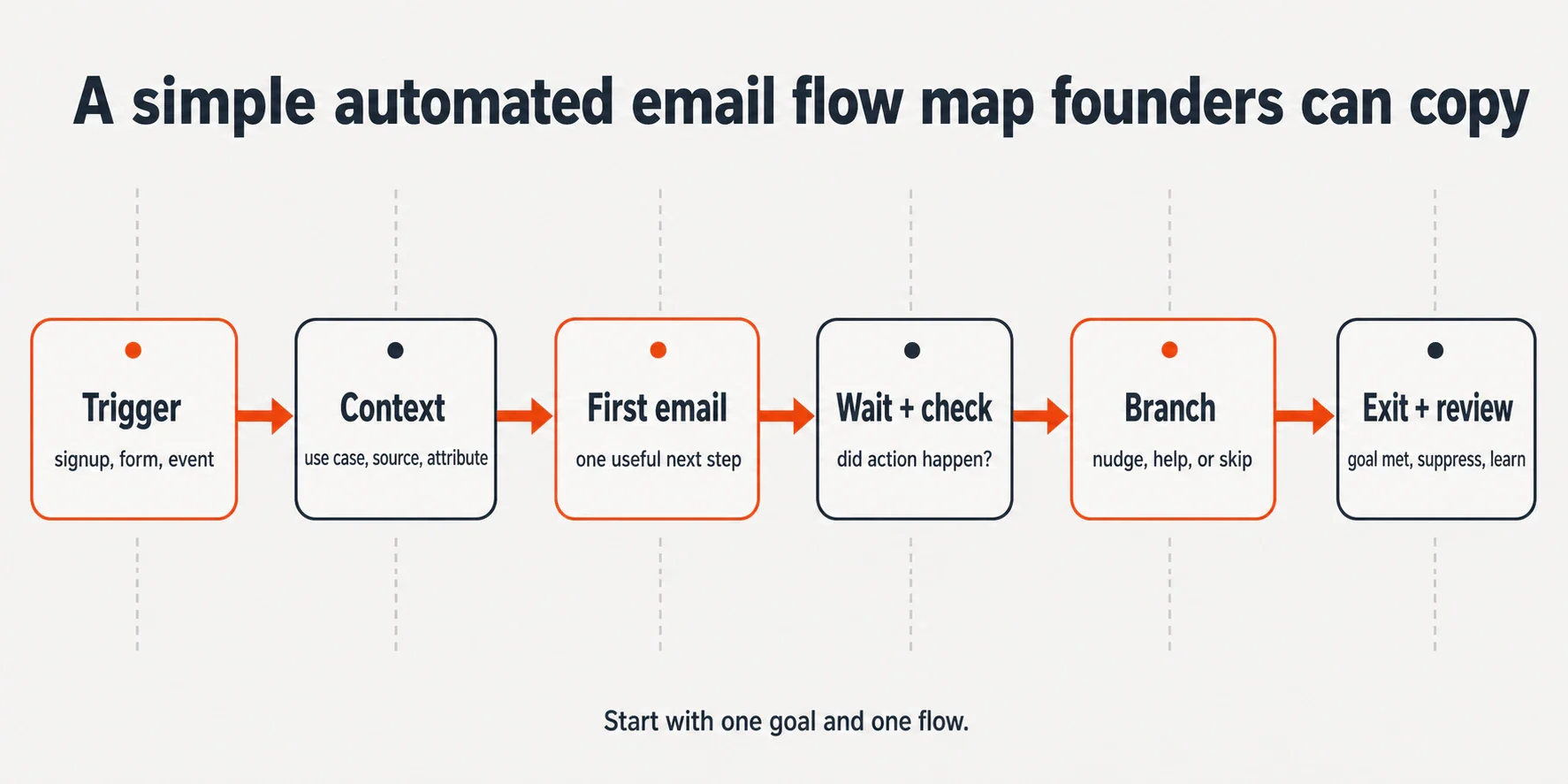
Flow part | Founder question | Example |
|---|---|---|
Trigger | What starts the flow? | User joins waitlist, submits demo form, signs up, or misses setup step |
Context | What do we know about intent? | Signup source, selected use case, role, answer, segment, or missing action |
First email | What is immediately useful? | Confirmation, first step, relevant resource, or setup nudge |
Wait + check | What behavior should happen next? | Clicked, replied, booked, completed setup, returned to product |
Branch | What should change if they do or do not act? | Send help, skip ahead, ask a question, or stop |
Exit + review | When should the flow end? | Goal completed, unsubscribe, bounce, purchase, booked call, or higher-priority flow |
For a waitlist example, the trigger is “joined waitlist.” The context is the problem selected in the waitlist journey. The first email confirms the request and repeats the value they asked for. After two days, the flow checks whether they clicked the relevant resource. If they did, the next message can ask one useful follow-up question. If they did not, the next message can restate the problem in simpler terms. The exit condition might be booking a call, joining the product, unsubscribing, or entering a higher-priority onboarding flow.
Five automated email flows worth building early
1. Welcome or signup flow
A welcome flow should confirm the action, remind the user why they signed up, and point to one first-value step. Klaviyo’s flow guidance uses a welcome series as a common example and notes that flows can include time delays and multiple paths based on criteria (Klaviyo). For a product-led founder, the first email should not explain every feature. It should help the user do the one thing that proves the product is worth continuing.
2. Onboarding activation flow
An onboarding activation flow should fire only when the user has not completed a key action after a reasonable delay. If the activation event is “created first project,” do not keep sending setup reminders after that event happens. The flow should check behavior, send help only when needed, and exit when the user succeeds.
3. Waitlist or lead-capture flow
A waitlist flow becomes more useful when it uses the context the person already gave you. If a form or journey asks for use case, role, company stage, or biggest blocker, use that answer to send a relevant next message. ActiveCampaign’s guidance on segmented welcome automations describes using form submissions and fields to tailor follow-up content (ActiveCampaign).
4. Re-engagement flow
A re-engagement flow should trigger after inactivity or lack of a meaningful action. For an early product, that might mean no login, no setup completion, no return visit, or no reply. Keep the tone useful: ask what blocked them, surface the next best step, or offer a clean way to opt out. ActiveCampaign describes win-back campaigns as emails intended to re-engage inactive contacts and get them interacting again (ActiveCampaign).
5. Founder-led nurture flow
A founder-led nurture flow should not become a generic newsletter in disguise. Use it when someone has shown interest in a problem but is not ready for the next conversion step. Send product thinking, useful context, a sharp explanation, or a relevant example tied to the recipient’s stated problem. The best version feels like a founder helping the user make progress, not a marketing team filling a content calendar.
How to choose triggers without overbuilding
Trigger choice determines whether your flow feels timely or random. Common trigger types include list signup, form submission, audience field change, email click, page view, product event, inactivity, purchase, renewal date, and segment membership. Mailchimp’s trigger documentation describes triggers as events or actions that add a contact to an automation flow, including audience changes and marketing activity such as opens or clicks (Mailchimp).
For early-stage teams, start with explicit signals you already capture. You may not need a complex event pipeline yet. Useful first triggers can be: - Signup source - Waitlist answer - Selected use case - Demo request - Content download - “Has not completed setup” - “Has not returned after signup”
Event-based triggers are usually more relevant than pure time-based triggers because they respond to behavior. But time-based triggers are acceptable when your product-event tracking is not ready. A simple “two days after signup, only if setup is incomplete” flow is often better than waiting months to build a perfect lifecycle system.
The test is simple: can you explain why this user is receiving this message now? If the answer is “because day three arrived,” the flow may be too generic. If the answer is “because they asked for this use case and have not completed the next step,” the flow has a stronger reason to exist.
Write each email around one job
Each email in the flow should answer four questions: - What did the user just do? - What are they probably trying to accomplish? - What is the next useful action? - What would make this email feel timely instead of automated?
A founder-friendly email flow is not a feature tour. It is a sequence of small nudges that remove friction. One message can confirm. One can clarify. One can unblock. One can ask a question. One can invite the user back. If one email tries to educate, sell, onboard, qualify, and announce a roadmap update, it will be hard to measure and harder to improve.
Use one primary call to action per email. Good early CTAs include: - Complete setup - Reply with the blocker - View the relevant resource - Book a demo - Return to the journey - Choose your use case - Confirm whether this still matters
Write the first version plainly. Personalization should come from real context, not decorative merge fields. “You said onboarding new users is your main challenge” is more useful than “Hi {{first_name}}, here are five things we do.”
Add the rules that keep automated flows from becoming annoying
The rules around the emails matter as much as the emails themselves. A flow without exit and suppression rules can keep talking after the user has already moved on.
Add exit rules for the moments when the flow has done its job. A contact should usually leave when they complete the goal, book a call, purchase, join the product, unsubscribe, bounce, or enter a higher-priority workflow. Mailchimp defines an exit condition as an event or action that removes a contact from a flow (Mailchimp).
Add suppression rules for situations where sending would be noisy or inappropriate. Examples: - Do not send onboarding nudges after activation is complete - Do not send a waitlist nurture email after a demo is booked - Do not send multiple similar flows at once - Do not email contacts who are not eligible to receive marketing email - Respect unsubscribes and preference changes
Also control overlap. A contact might qualify for a welcome flow, a nurture flow, and a re-engagement flow at the same time. Decide which one wins. For a tiny team, one active lifecycle flow per contact is often easier to reason about than a web of competing automations.
What to measure in a lean automated email flow
Measure the job of the flow, not just the email metrics. Opens and clicks are useful diagnostics, but they are not the final scoreboard.
For each flow, choose one operational metric: - Welcome flow: first-value action completed - Onboarding flow: setup step completed - Waitlist flow: segmentation answer captured or call booked - Re-engagement flow: return visit, reply, or key action resumed - Founder-led nurture flow: qualified replies, demo requests, or movement into a product journey
Then use email metrics to diagnose the path: delivery, open rate, click rate, reply rate, unsubscribe rate, spam complaints, and drop-off by branch. A low open rate may point to timing or subject line. A low click rate may point to a weak next step. A high unsubscribe rate may mean the flow is mistimed, too frequent, or not aligned with the user’s original intent.
Run a weekly review before adding another flow. Ask: where are people entering, where are they exiting, which email creates action, which branch creates confusion, and which message can be removed? If your team already keeps a weekly signal log, connect flow learning to that ritual so follow-up improves from real user behavior instead of guesses.
Where FounderHQ fits naturally
Automated email flows work better when they are connected to the context that created the lead or user in the first place. A product journey, waitlist, quiz, onboarding path, or founder-led content asset can all capture intent before the first email is ever written.
FounderHQ helps early-stage product teams build product journeys, compose founder-led content, and keep company context in one focused operating system. For automated email flows, that positioning is most useful at the planning layer: preserving the journey context, the user signal, the message idea, and the review notes that shape the next version.
The practical framing is important: the system should give the founder leverage, not replace judgment. A good flow still needs a human decision about the right goal, the right trigger, the right message, and the right moment to stop.
Founder checklist: build your first automated email flow this week
Use this checklist to keep the first version small enough to launch and learn from:
- Choose one user moment: signup, waitlist, demo request, onboarding stall, or inactivity.
- Name the desired next action.
- Define the trigger.
- Add an eligibility rule so the wrong people do not enter.
- Capture one useful context field, such as use case or source.
- Write two to four emails max.
- Give each email one job and one CTA.
- Add exit rules for the goal being completed.
- Add suppression rules for unsubscribes, bounces, completed actions, and higher-priority flows.
- Test the flow with internal contacts.
- Launch to a small segment.
- Review after one week before adding another flow.
If the flow feels too complex to explain on one page, it is probably too complex for the first version. Start with one moment, one goal, and one review loop. Automation gets more powerful when the underlying behavior is clear.
Conclusion
Automated email flows are most useful when they behave like a founder’s memory: they remember what the user did, preserve the context behind that action, and send the next helpful message at the right moment. Start with the flow that improves one high-intent moment. Keep it short. Add exit rules. Review it weekly. Once that loop works, the next automation becomes a considered system decision—not another batch of emails pretending to be strategy.
Related articles
Application Onboarding Process: Definition, Steps, and When to Use It
A practical seven-step application onboarding process for moving new users from signup to first meaningful value without unnecessary setup or generic tours.
In-App Analytics for Onboarding: Definition, Metrics, and When to Use It
In-app analytics for onboarding turns events, funnels, segments, and user feedback into decisions about the path from signup to first value.
In-App Guidance for Onboarding: Definition, Examples, and When to Use It
In-app guidance helps users complete meaningful tasks inside a product. This guide explains the main patterns and how to match each one to an onboarding blocker.