FounderHQJul 9, 20269 min read
Build in Public as a Founder-Led Content System
Build in public works best when it turns real operating work into useful founder-led content and reusable company context, not when it becomes another forced posting habit.

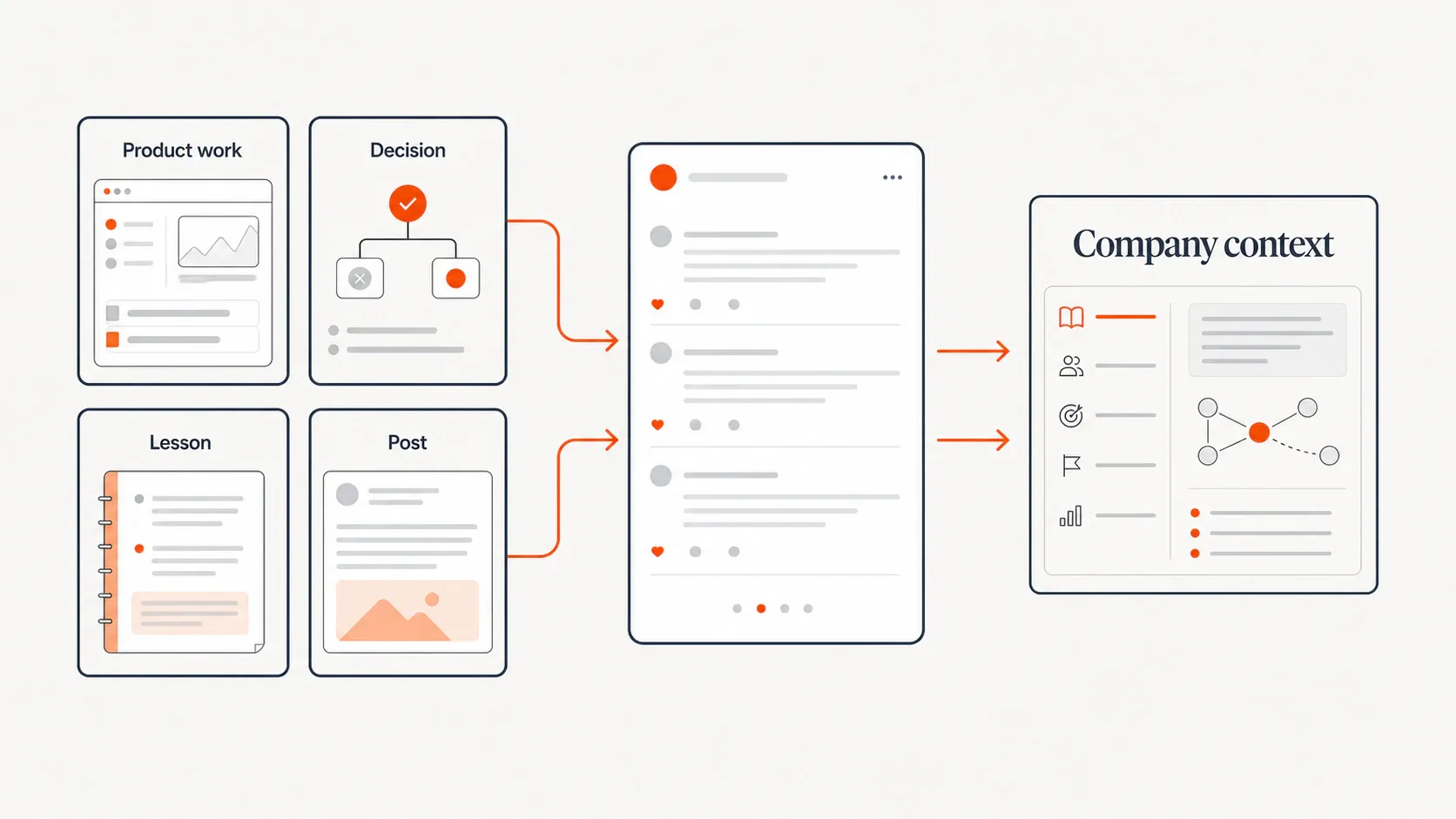
Build in public is often presented as a social media tactic: post every day, share the wins, show the numbers, keep the audience warm. That version is too shallow for early-stage founders who are already balancing product, customers, messaging, hiring, support, and growth. The more useful version is a lightweight founder-led content system. You choose one operating layer of the business to make visible, convert real work into public updates, protect what should stay private, and save the audience signal that comes back.
What build in public is — and what it is not
Build in public means sharing meaningful parts of the startup-building process while the work is happening. That can include product decisions, milestones, metrics, lessons learned, mistakes, customer feedback patterns, roadmap trade-offs, launch experiments, or the thinking behind a change. Mercury describes it as sharing parts of a startup journey openly as you go, while noting that it sits on a spectrum rather than requiring radical transparency.
That distinction matters. Building in public is not an obligation to publish every revenue number, customer detail, team problem, investor conversation, or strategic bet. For most early-stage teams, the practical version is useful transparency: enough context for the audience to learn from the work, not so much exposure that the company becomes harder to defend or operate.
A useful build-in-public artifact might be: a feature decision, a pricing lesson, a customer-objection pattern, a roadmap trade-off, an onboarding improvement, a failed experiment, a small launch retrospective, or a weekly ship note. The common thread is not performance. It is context.
Why founders still build in public
Founders still build in public because it can create distribution before the product is fully mature. Public progress gives people a reason to follow the work before launch, and over time those followers may become early users, partners, collaborators, advocates, candidates, or useful critics. That is not guaranteed growth, but it is a practical way to create surface area while the company is still earning proof.
It can also improve learning. When you explain what you are building and why, you force clearer thinking. When the right people respond, they may surface objections, missing use cases, confusing language, or adjacent problems that would have stayed hidden in private. Batko’s guide frames building in public around sharing decisions, doubts, experiments, and lessons as they happen, not only after the story is polished.
The third benefit is trust. Young companies often do not have years of case studies, analyst coverage, or a polished brand moat. Specific public context can make the company feel more human and credible. The mistake is treating trust as a byproduct of exposure alone. Trust comes from useful, consistent, grounded updates — not from simply being loud.
The mistake: treating build in public as a posting habit
Most founders burn out because they start with the wrong question: “What should I post today?” That turns build in public into a blank-page content problem. The better question is: “What real operating work happened this week that would be useful to explain?”
Several current build-in-public guides now emphasize decision-level transparency, workflow, trade-offs, and specificity rather than vague wins or repeated metric screenshots. For example, Quip’s 2026 playbook argues that stronger posts share specific decisions and trade-offs, and recommends choosing one operating layer instead of trying to be transparent about everything.
That is the shift: build in public works better when it is attached to an operating layer. You are not manufacturing content. You are translating real work into public learning.
Step 1: Pick the operating layer you are willing to make public
Start by choosing one layer of the business that is real, recurring, safe to discuss, useful to your target audience, and connected to your company narrative. This keeps the system focused. A founder who tries to make the entire company transparent usually creates more risk, more noise, and weaker positioning.
Good operating layers include: product decisions, customer learning, launch experiments, onboarding improvements, founder workflows, market narrative development, pricing learning, technical constraints, or customer-success patterns. A product-led founder might share activation decisions. A technical founder might share build constraints and trade-offs. A market-facing founder might share positioning tests and customer language.
Use this quick filter before committing to a layer:
- Real: Does this work already happen every week or two?
- Recurring: Will it keep producing material without forcing extra projects?
- Safe: Can you explain it without exposing sensitive customer, team, security, or strategy details?
- Useful: Would your audience learn something from the decision, constraint, or lesson?
- Narrative-aligned: Does it reinforce what your company is becoming known for?
Step 2: Convert raw work into a useful post format
Raw documentation is rarely enough. “We shipped X” is a status update. “We shipped X because users kept failing at Y, and we chose the boring version first so we could learn faster” is a useful post. The difference is context.
A simple format works for most founder-led updates:
Context → Decision or event → Constraint → Trade-off → What changed → Lesson or question
The same raw work can become several post types:
Raw operating source | Public post format | Example angle |
|---|---|---|
Product decision | Decision note | “We chose X over Y because the constraint was speed to first value.” |
Customer objection | Customer-language insight | “Three prospects used the same phrase, so we changed the headline.” |
Failed assumption | Lesson post | “We expected users to do X first. They did Y instead.” |
Small ship | Weekly ship note | “The smallest useful improvement this week was…” |
Onboarding friction | Before/after update | “Users stalled at this step, so we removed one decision.” |
Launch experiment | Retrospective | “This channel created conversations, but not the right ones.” |
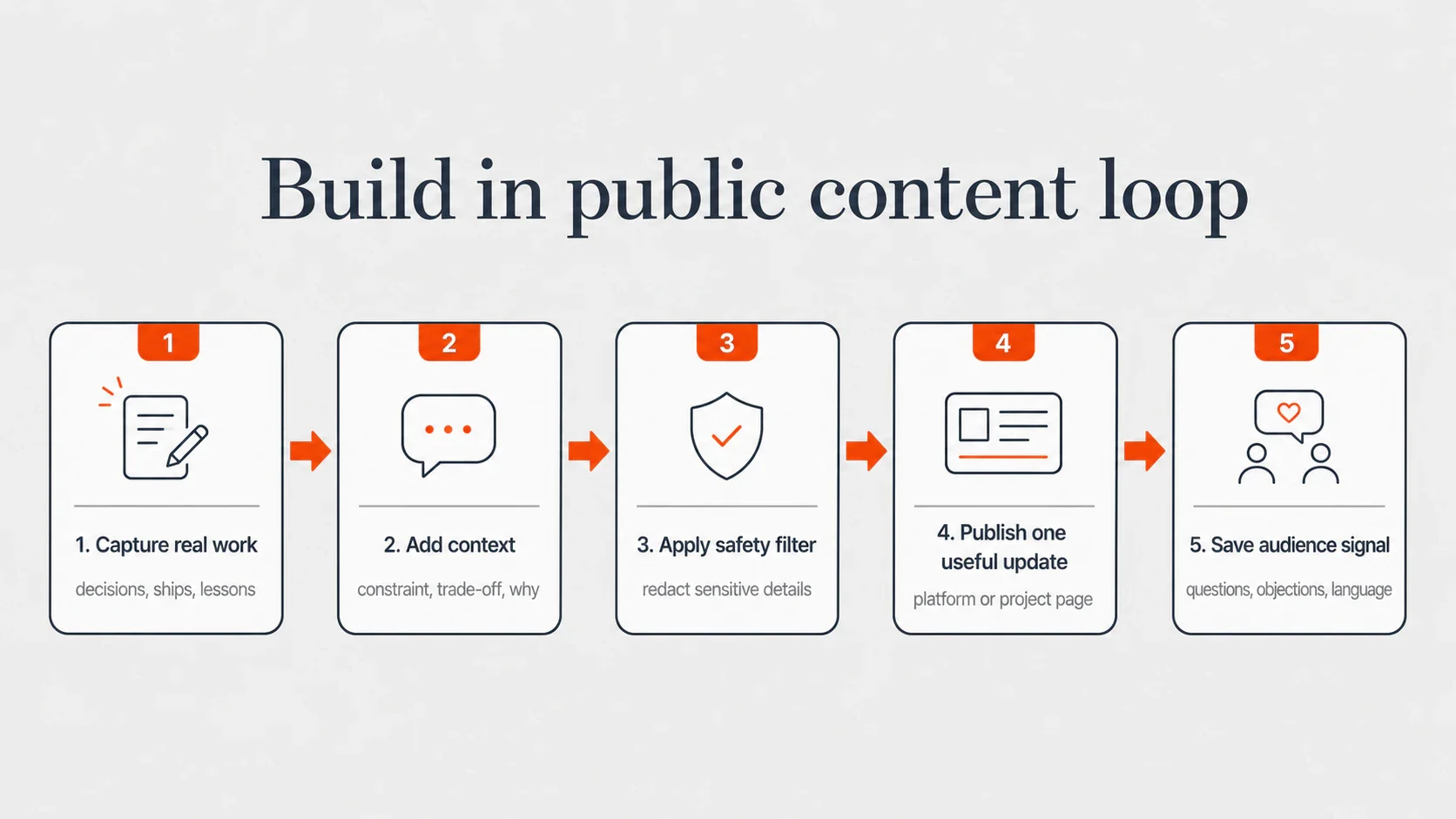
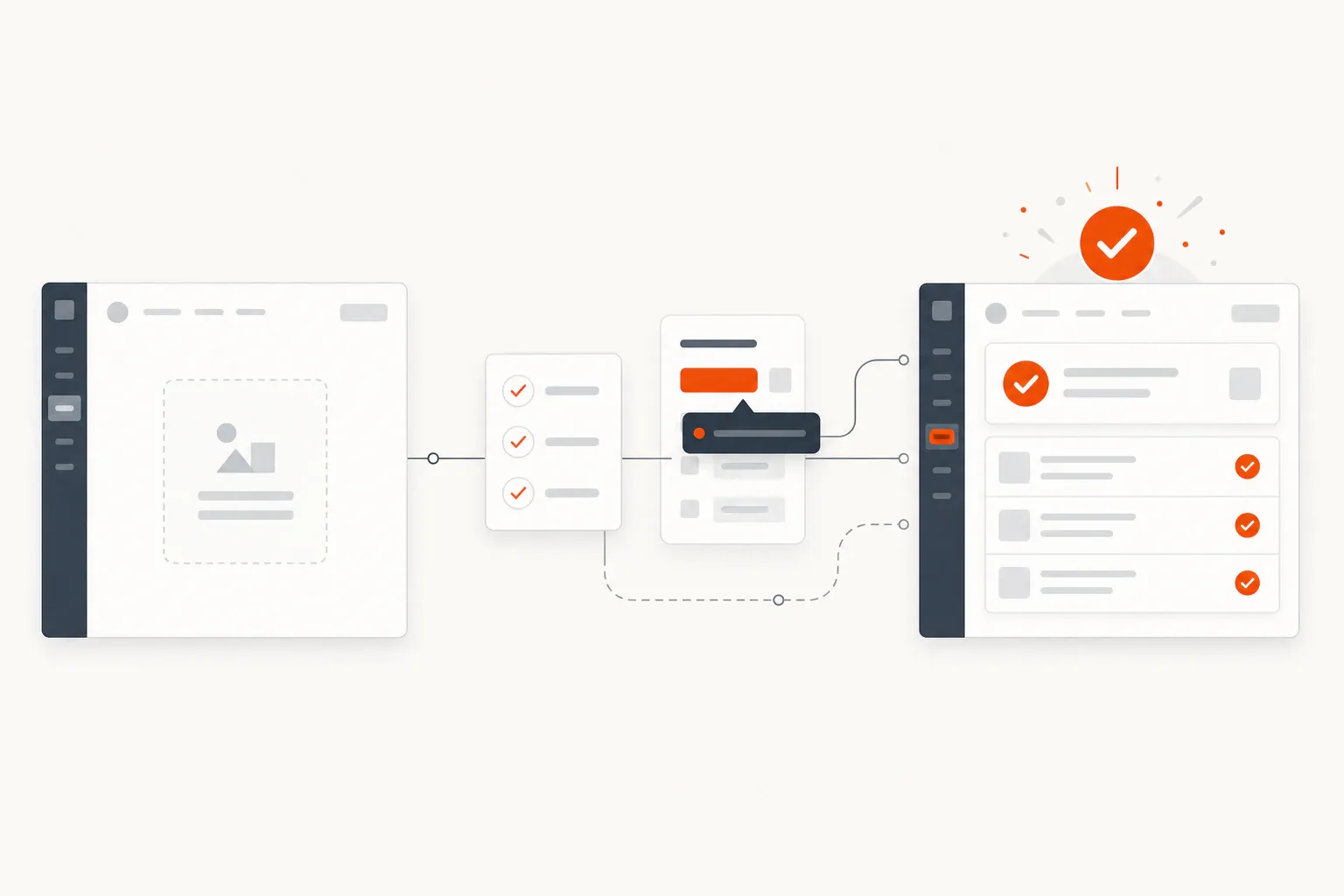
The loop below is the core system: capture real work, add enough context to make it useful, filter risk, publish one clear update, and save what the audience gives back.
Step 3: Add a safety filter before publishing
Selective transparency is not fear. It is operating judgment. The Bootstrapped Founder draws a useful line between business insights worth sharing and trade secrets that can weaken your advantage. The goal is to share what is interesting and useful without handing over a business manual.
Before publishing, run every update through a publish / hold / redact checklist:
- Publish: Your own decisions, lessons, constraints, workflows, non-identifying customer patterns, general mistakes, and clear trade-offs.
- Redact: Customer names, exact screenshots, private conversations, sensitive numbers, internal tooling details, contractual information, and anything that identifies a person who did not consent.
- Hold: Unreleased strategic bets, security details, fundraising specifics, team issues, fragile negotiations, or tactics that are both easy to copy and central to your current advantage.
A strong safety filter does not make posts bland. It makes them more useful. Instead of saying, “A major customer threatened to churn after seeing our roadmap,” you can say, “A larger account needed more confidence in our roadmap, so we changed how we communicate what is stable, what is experimental, and what is not planned.” The lesson survives. The risk drops.
Step 4: Choose one primary distribution surface
Do not start by publishing everywhere. Choose one primary surface based on where your ideal customers, peers, partners, and early supporters already spend time. For some founders, that is LinkedIn. For others, it is X/Twitter, a newsletter, a founder community, a project page, a blog, YouTube, GitHub, or a niche forum.
The right surface depends on your audience and format. Short decision notes may fit LinkedIn or X. Longer retrospectives may belong on a blog or newsletter. Technical build notes may work better in GitHub, a developer community, or a long-form project log. Customer-learning posts for B2B buyers often need more context than a short social post can carry.
Keep a durable version of important updates somewhere you control. Social posts are useful for conversation, but they are easy to lose. A project page, blog archive, or update log can preserve the narrative for future buyers, hires, investors, partners, and search discovery.
Step 5: Turn replies into company context
The long-term value of build in public is not just engagement. It is reusable company context: objections, customer language, feature confusion, proof points, analogies, questions, misconceptions, and phrases that make the problem clearer.
This is where the system becomes more than content. A reply can sharpen a landing page. A repeated objection can become a product journey step. A surprising question can become a founder-led post, support article, onboarding branch, or sales follow-up. The public conversation becomes input for the operating system of the company.
FounderHQ is built around this kind of founder leverage: helping early-stage product teams build product journeys, compose founder-led content, and keep company context in one focused operating system. For build in public, that matters because the work should not disappear after the post fades. The best signals should become reusable memory for future content, messaging, onboarding, and follow-up.
A simple weekly capture ritual is enough:
- Save the strongest replies, DMs, objections, and questions.
- Tag each one by theme: positioning, activation, pricing, trust, use case, confusion, or proof.
- Note what it changes: copy, product journey, article idea, sales sequence, FAQ, or roadmap question.
- Turn one saved signal into next week’s public update.
A simple 2-week starter cadence for busy founders
If you only have 60 minutes a week, do not force a daily cadence. Publish fewer updates with more substance. The goal is to make build in public sustainable enough to compound, not intense enough to abandon.
Here is a lightweight two-week cadence:
- Post 1: A decision you made and the trade-off behind it.
- Post 2: A small ship note that explains why the change matters.
- Post 3: A lesson from a failed, paused, or changed assumption.
- Post 4: A specific question or request for input from the right audience.
- Post 5: A short recap or durable project-page update that connects the learning back to the bigger narrative.
Use this mini worksheet before you start:
Question | Your answer |
|---|---|
What operating layer will we share? | |
Who is the audience for these updates? | |
What topics are safe to discuss? | |
What topics must be redacted or held? | |
Where will raw material come from each week? | |
What is the primary distribution surface? | |
Where will replies and signals be saved? |
Examples of build-in-public posts founders can write this week
Use these as prompts, not scripts. The best build-in-public posts sound like the founder and reflect real work that actually happened.
- Product decision: “We changed X because Y constraint showed up. The trade-off was Z, and we chose the version that helps users reach first value faster.”
- Customer signal: “A user misunderstood X in our onboarding. That told us the problem was not the feature — it was the order we introduced it.”
- Paused work: “We killed or paused X after learning Y. It was tempting to keep going because we had already invested time, but the signal was pointing elsewhere.”
- Boring choice: “We chose boring option A over exciting option B because reliability mattered more than novelty at this stage.”
- Small ship: “This week’s smallest useful ship was X. It will not make a launch video, but it removes one moment of friction.”
- Positioning update: “We stopped saying X and started saying Y after hearing the same objection in three conversations.”
- Request for input: “We are choosing between two onboarding paths: one optimized for speed, one optimized for confidence. If you have bought or used a tool like this, which failure mode would worry you more?”
Each prompt starts from operating work. That is what keeps the system grounded. You are not posting for the sake of being visible; you are turning decisions into public learning.
Conclusion
Build in public works best when it is not treated as a diary, a vanity scoreboard, or a demand to expose the whole company. For early-stage founders, the practical path is narrower and more durable: choose one operating layer, turn real work into useful updates, filter sensitive details, publish where the right people already pay attention, and preserve the signal that comes back. Done this way, build in public becomes more than a content habit. It becomes a founder-led system for learning, trust, distribution, and company memory.
Related articles
Application Onboarding Process: Definition, Steps, and When to Use It
A practical seven-step application onboarding process for moving new users from signup to first meaningful value without unnecessary setup or generic tours.
In-App Analytics for Onboarding: Definition, Metrics, and When to Use It
In-app analytics for onboarding turns events, funnels, segments, and user feedback into decisions about the path from signup to first value.
In-App Guidance for Onboarding: Definition, Examples, and When to Use It
In-app guidance helps users complete meaningful tasks inside a product. This guide explains the main patterns and how to match each one to an onboarding blocker.