FounderHQJul 18, 202612 min read
How to Grow My App: Build a Weekly Growth System Before You Add More Channels
A practical guide for early-stage app founders who need a repeatable growth cadence, not another list of channels.

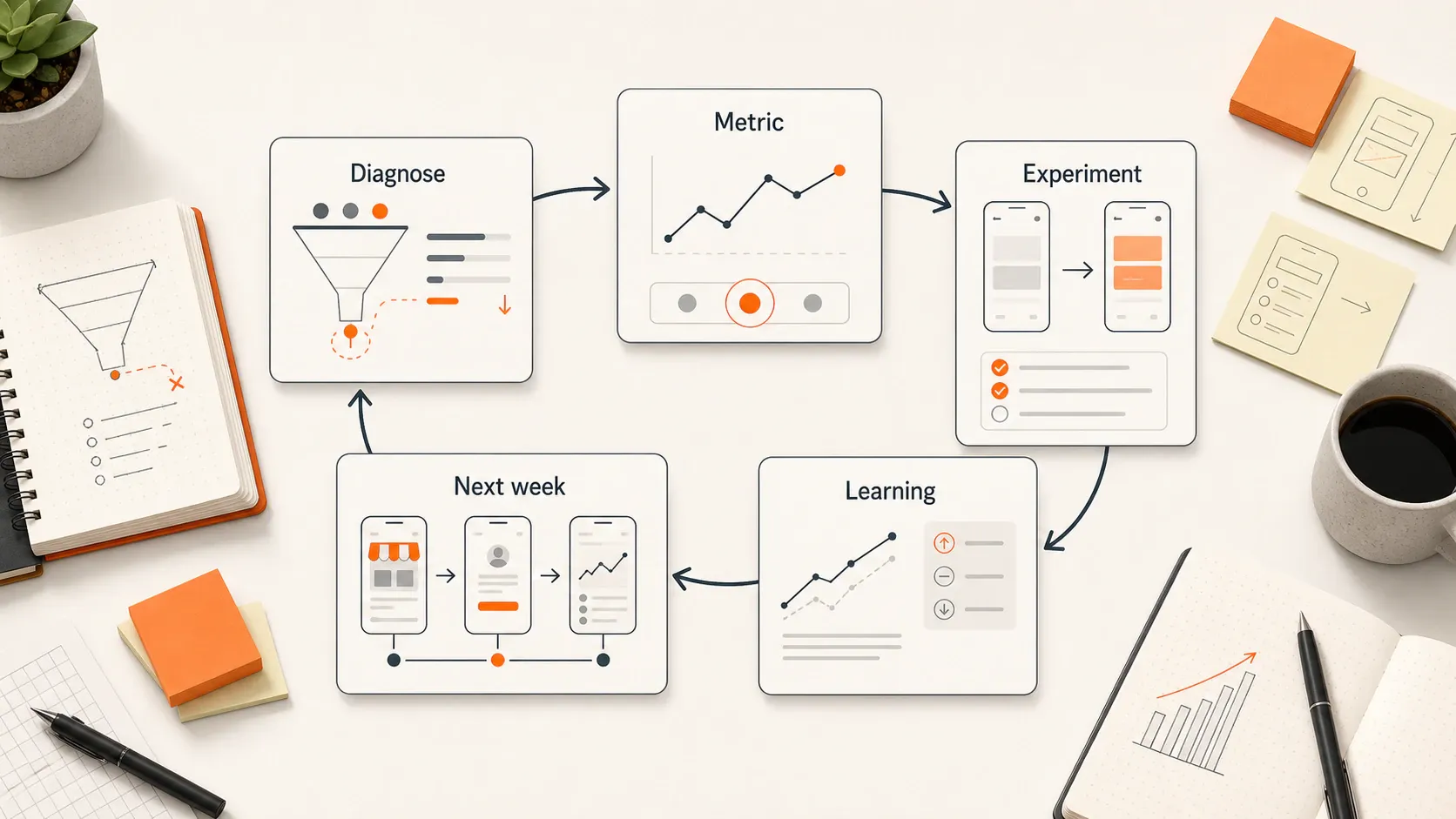
TL;DR: To grow your app, diagnose the current bottleneck before adding channels: discovery, store-page conversion, activation, retention, referral, or learning. Apple says App Store search drives the majority of App Store downloads, while AppsFlyer cites average retention falling from about 25% on day one to about 6% by day 30. Run one weekly experiment against the leak that matters most.
Key takeaways
- App growth works as a loop across discovery, store conversion, activation, retention, referral, and learning; optimizing one stage while ignoring the rest creates leaks.
- Do not buy more installs until you know whether new users reach one meaningful action and return after the first session.
- App Store Optimization matters because the store page is the conversion point for search, ads, social posts, referrals, press, and creator mentions.
- A weekly app growth review should choose one constraint, one metric, and one experiment instead of spreading founder time across five channels.
- Retention should shape acquisition decisions because low-quality installs make growth look busy while weakening the user base that actually compounds.
If I were trying to grow an app this week, I would not start by adding TikTok, paid ads, influencer outreach, and referral prompts at the same time. I would find the one stage where the app is leaking the most users, pick one metric, and run one experiment that can teach the team what to do next. This guide is for early-stage app founders and small product teams that own product, messaging, onboarding, and growth without a dedicated growth department.
Start with the real question: what is stopping the app from growing?
The useful answer to “how to grow my app” is not a channel list. App growth is a loop: a user discovers the app, understands the store page, installs it, reaches value, comes back, tells someone else, and gives the team learning that improves the next cycle.
Five constraints usually explain the stall: weak discovery, low store-page conversion, slow activation, poor retention, or no referral and follow-up loop. If discovery is weak, better onboarding will not create demand. If activation is weak, more paid installs will leak faster. If retention is weak, referral prompts arrive before users have earned a reason to share.
A simple example: a focus app gets 10,000 product page views, 1,000 installs, 350 completed onboardings, 120 first focus sessions, and 18 returning users after a week. The biggest problem is not awareness. The leak sits between onboarding and a repeat value moment, so the next experiment should change the first-session path or return trigger, not add another acquisition channel.
Map your app growth loop before choosing a channel
A growth loop turns scattered metrics into a decision map. I like using a lean acquisition, activation, retention, referral, and revenue map because it forces the team to connect traffic quality with product behavior.
Early teams do not need an analytics warehouse to start. They need one observable behavior at each stage, enough source tracking to see where users came from, and a weekly decision about which leak deserves attention.
Stage | Core question | Useful metric | Likely leak | First experiment |
|---|---|---|---|---|
Discovery | Can the right users find the app? | Search impressions, source traffic | Wrong keywords or weak channel fit | Rewrite title/subtitle or test one channel |
Store conversion | Do visitors understand the promise? | Product page conversion rate | Screenshots sell features, not outcomes | Rewrite first screenshots around the user job |
Activation | Do new users reach value? | First key action completed | Onboarding asks too much too soon | Remove one setup step or branch by intent |
Retention | Do activated users return? | Day 1, day 7, day 30 retention | No return trigger or unfinished value loop | Add one useful reminder or saved-progress prompt |
Referral/proof | Do happy users create trust? | Referral starts, ratings, reviews | Asking too early or with weak context | Ask after a positive moment, not after install |
Apple’s App Store Connect documentation says conversion rate is total downloads and pre-orders divided by unique device impressions, which makes it a practical first store-page metric for iOS apps (Apple Developer). For acquisition, App Store Connect can also segment discovery and downloads by sources such as App Store search, browse, app referrer, web referrer, and campaigns (Apple Developer).
Improve discoverability: make the app easier to find and understand
App Store Optimization is the work of making the app findable and convincing inside the store. Apple says search traffic accounts for the majority of downloads from the App Store, so the store page is not a minor detail; it is often the highest-leverage conversion page an app has (Apple Developer).
Store search does not rank apps on keywords alone. Apple’s discoverability guidance says App Store search ranking considers text relevance, including matches for the app title, keywords, and primary category, plus customer behavior such as downloads and the number and quality of ratings and reviews (Apple Developer). Apple also notes that ratings and reviews can influence search ranking and encourage engagement from search results (Apple Developer).
Treat the first two screenshots like the app’s homepage. A user should understand the outcome before they admire the interface. “Track habits” is weaker than “Build a 10-minute morning routine you can repeat.” “AI notes” is weaker than “Turn a lecture recording into a study checklist.”
Run the first experiment like this: choose one target search intent, rewrite the title/subtitle or short description around that intent, replace the first screenshot with the desired outcome, and compare conversion rate by source. Do not change every asset at once if you want to learn what moved.
Choose one growth channel based on user fit, not founder excitement
A channel is only useful if your target user already searches, watches, asks, buys, or shares there. The wrong channel can create activity without retained users.
Channel | Best fit | Watch-out | Quality signal |
|---|---|---|---|
App Store search / ASO | Users search by problem or category | Slow learning if volume is low | Search installs activate and return |
Founder-led content | B2B, prosumer, workflow, expert-led apps | Consistency matters more than virality | Replies mention the problem in the user’s words |
Short-form video | Visual, emotional, habit, or consumer apps | Views can hide poor install intent | Viewers install and complete the first action |
Niche communities | Specific pain with active discussion | Spam destroys trust quickly | Users ask follow-up questions or join a waitlist |
Partnerships | Complementary audiences or workflows | Slow if the value exchange is vague | Partner traffic retains better than cold traffic |
Paid search/social | Known audience and proven conversion path | Spend amplifies a weak funnel | Paid users retain close to organic users |
A productivity app for founders might test ASO plus LinkedIn founder-led content because the user searches for a job-to-be-done and discusses workflow problems publicly. A consumer habit app might test short-form video plus a referral moment after streak creation. A B2B mobile field-work app might learn faster through niche communities, direct outreach, and partnerships than through broad paid social.
The decision rule is conservative: pick the channel that gives you the fastest useful feedback from the kind of user you actually want. If the channel produces installs that never activate, it is not working yet.
Fix activation: help new users reach one meaningful outcome fast
Activation is the moment a new user experiences the app’s core value for the first time. Account creation is not activation unless the account itself creates value.
Good activation events are concrete: creating the first project, scanning the first item, inviting the first teammate, completing the first workout, logging the first habit, generating the first useful result, or saving the first reusable plan. Pick one event and make the onboarding path serve that event.
Onboarding should route users to value, not explain every feature. If different users need different setup paths, ask one or two intent questions and branch from there. A budgeting app might ask whether the user wants to cut spending, track subscriptions, or plan a family budget; each answer should change the next screen.
For a deeper activation-specific walkthrough, the app onboarding guide covers how to define the first meaningful action, shorten time to value, branch by intent, and measure behavior change. The important distinction for this article is where activation sits in the weekly growth system: it is one constraint to diagnose, not the whole strategy.
Build retention before scaling acquisition
Retention tells you whether users found enough value to come back. AppsFlyer’s retention glossary cites average mobile app retention across 31 categories at about 25% on day one and about 6% by day 30 (AppsFlyer). Adjust’s 2024 retention guidance also shows steep drop-off, with iOS retention at 27% on day 1 and 8% by day 30 in its published analysis (Adjust).
Benchmarks vary by category, platform, and use case, so do not treat a single number as your universal target. Use the pattern as the warning: most apps lose attention quickly, and buying more installs does not repair a weak reason to return.
Retention experiments should connect to a user goal. Useful levers include saved progress, habit triggers, relevant push notifications, in-app messages, content refreshes, streaks where they fit the product, lifecycle email, and reminders tied to unfinished work. Spammy notifications create short-term opens and long-term distrust.
A practical first experiment: identify one valuable action users complete once but fail to repeat. Then add one return path—a reminder, email, in-app prompt, or saved-progress card—that helps the user finish the next useful step. If you need a lean follow-up structure, the email sequences guide explains how to move one segment toward one meaningful next action without overbuilding automation.
Turn satisfied users into a small referral and proof loop
Referral and proof work best after a user has reached value. Asking for a share, rating, or review immediately after install usually asks the user to endorse something they have not experienced yet.
The right moment is specific: after a completed workout, first successful scan, exported report, saved plan, invited teammate, or repeated session. Make the ask small, make the benefit clear, and track whether referred users activate and return.
Ratings and reviews matter as a trust loop, not only as a vanity signal. Apple says ratings and reviews can influence ranking and encourage users to engage from search results (Apple Developer). A good review prompt should respect timing: ask after a positive product moment, never after an error, cancellation, or confusing first session.
Qualitative proof is just as useful as public proof. Save support replies, onboarding answers, review language, cancellation reasons, and user interview phrases. Those words should feed the next store-page test, onboarding branch, lifecycle message, and founder-led post.
Run a weekly app growth review
A weekly app growth review turns growth from a pile of tactics into an operating cadence. The meeting can be 30 minutes if the team keeps the scoreboard lean.
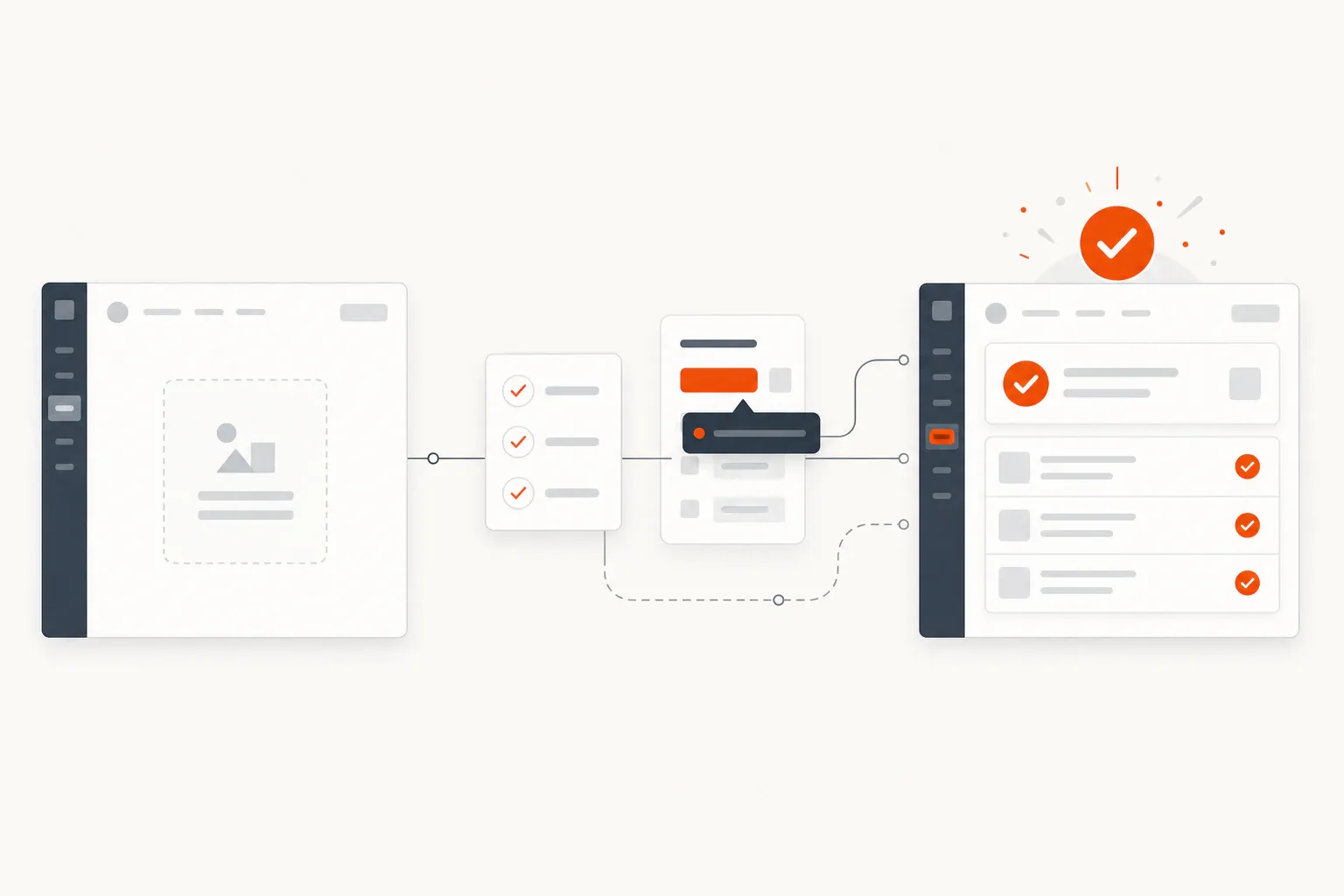
Use the visual below as the cadence: find the leak, pick one metric, ship one experiment, record the learning, and route the next action back into the store page, onboarding path, lifecycle follow-up, or content.
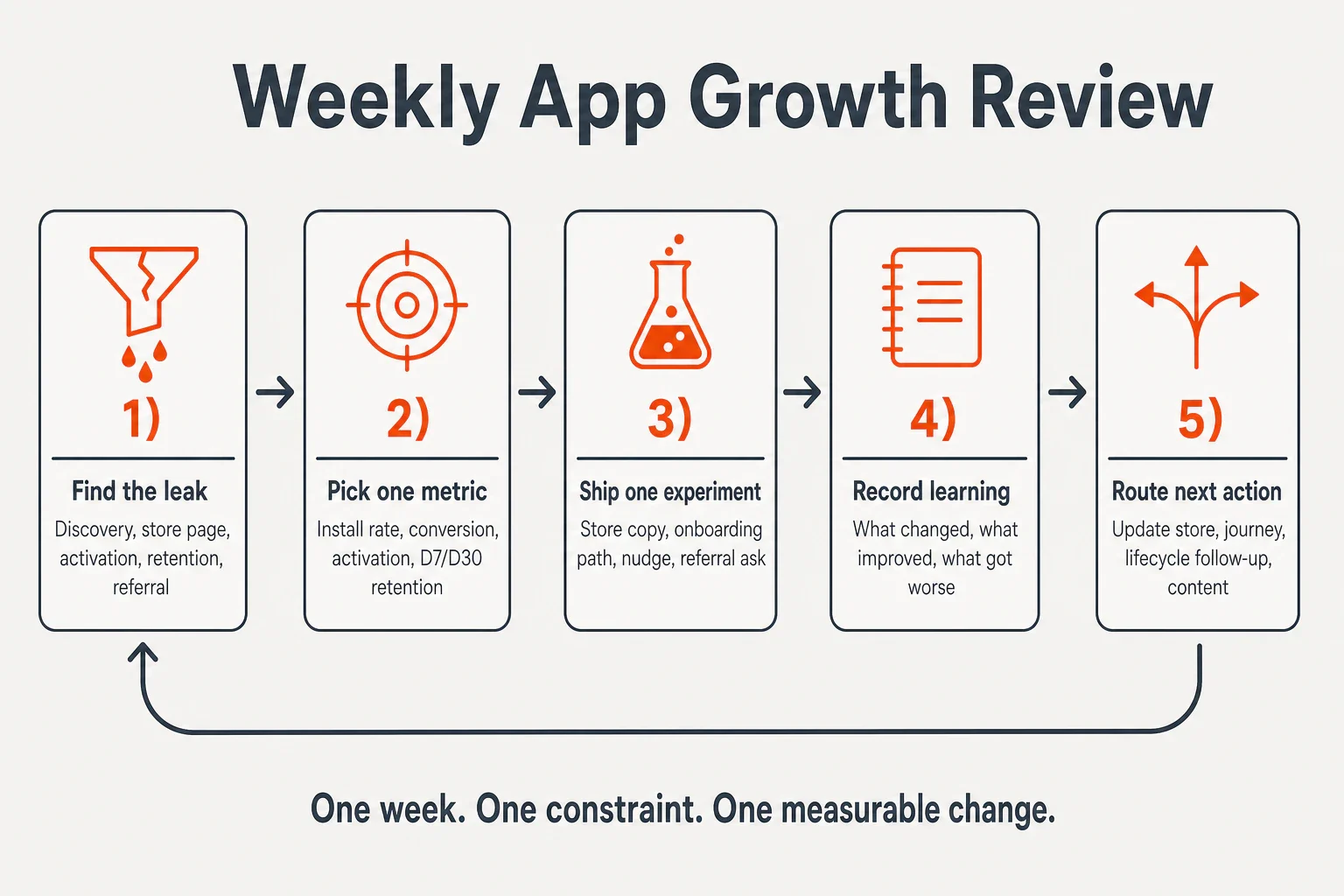
The review questions are simple:
- What changed this week?
- What improved?
- What got worse?
- What did users say or do that surprised us?
- Which constraint owns next week?
Keep the dashboard small: install rate, store conversion rate, onboarding completion, activation rate, day 1/day 7/day 30 retention where available, referral starts, ratings/reviews, and qualitative user signal. A small team needs a decision system, not a dashboard that takes half a day to maintain.
This is where a focused workspace helps if growth work is scattered. FounderHQ is built for early-stage product teams that need to build product journeys, compose founder-led content, and keep company context in one operating system; for this cadence, the load-bearing use is preserving decisions, onboarding logic, content ideas, and learning so the team does not restart from memory every week (FounderHQ).
A 30-day plan to grow your app without chasing every tactic
A 30-day app growth plan should create one complete learning cycle, not a channel explosion. The goal is to know which constraint matters most and have one shipped improvement at each major stage.
Week | Focus | What to ship | What to measure |
|---|---|---|---|
Week 1 | Map the loop | Define activation and identify the largest leak | Baseline store conversion, activation, retention |
Week 2 | Improve discovery or store conversion | Rewrite store promise, screenshots, or keyword targeting | Product page conversion by source |
Week 3 | Shorten activation | Remove friction or branch onboarding by intent | First key action completed |
Week 4 | Add retention or referral | Ship one return nudge, follow-up, review ask, or referral prompt | Repeat action, retention, referral starts, qualitative signal |
If the team still does not know what to fix after 30 days, the problem is usually measurement or focus. Narrow the audience, define the key action more clearly, and run a smaller experiment. The growth system architecture guide is useful when the question becomes which operating system—manual search, activation-first journey, or repeatable loop—fits the next cycle.
Conclusion
Grow the app by fixing the current constraint, not by collecting channels. If discovery is the leak, improve search and store clarity. If activation is the leak, shorten the path to one meaningful outcome. If retention is the leak, create a real reason to return. Then review the result next Friday and choose the next constraint with evidence instead of momentum.
Frequently asked questions
How do I grow my app with no budget?
Start with the growth loop you can control: improve your app store listing, define one activation event, shorten onboarding, ask satisfied users for referrals or reviews, and publish founder-led content where your target users already search or ask questions. A no-budget app growth plan should prioritize learning speed and retained users over raw install volume.
What is the best app growth strategy for a new app?
The best strategy for a new app is usually a weekly constraint system: diagnose whether discovery, store conversion, activation, retention, or referral is the biggest leak, then run one experiment at that stage. New apps rarely need every channel at once. They need a clear store promise, a fast first-value path, and proof that users come back.
Should I focus on downloads or retention first?
Focus on retention before scaling downloads if users are not returning after install. Downloads show that people were curious enough to try the app; retention shows that the app delivered enough value to earn another session. Once retention is stable for your category and use case, acquisition experiments become more useful because new installs are less likely to leak immediately.
How often should I run app growth experiments?
A small team should usually run one meaningful app growth experiment per week. That pace is fast enough to learn and slow enough to avoid muddy results. Pick one metric, ship one change, and review what changed the next Friday. If you change the store page, onboarding, pricing, notifications, and ads at once, you will not know what worked.
What metrics matter most for app growth?
Useful app growth metrics include store impressions, product page conversion rate, installs, onboarding completion, activation rate, day 1/day 7/day 30 retention, repeat key actions, referral starts, ratings, reviews, and qualitative user feedback. Early teams do not need a huge dashboard. They need enough signal to find the current leak and decide the next experiment.
Related articles
Application Onboarding Process: Definition, Steps, and When to Use It
A practical seven-step application onboarding process for moving new users from signup to first meaningful value without unnecessary setup or generic tours.
In-App Analytics for Onboarding: Definition, Metrics, and When to Use It
In-app analytics for onboarding turns events, funnels, segments, and user feedback into decisions about the path from signup to first value.
In-App Guidance for Onboarding: Definition, Examples, and When to Use It
In-app guidance helps users complete meaningful tasks inside a product. This guide explains the main patterns and how to match each one to an onboarding blocker.